About This Class
Draw and Shape Freely in Affinity Designer Without Pen Tools
If you’ve ever wished Affinity Designer had a Blob Brush like Illustrator, this quick class will show you how to get a very similar result using tools you already have. You’ll learn how to draw freely, build up shapes as you go, and create smooth, solid artwork without relying heavily on the pen tool.
We’ll explore two simple methods that give you that same natural drawing feel—one using strokes and one using filled shapes. Along the way, you’ll see how to clean up your artwork, smooth out edges, and make everything feel more polished without spending time adjusting individual nodes.
This is a short, focused class with 4 lessons total, perfect for when you want a fast technique you can start using right away.
In this class I'll walk you through
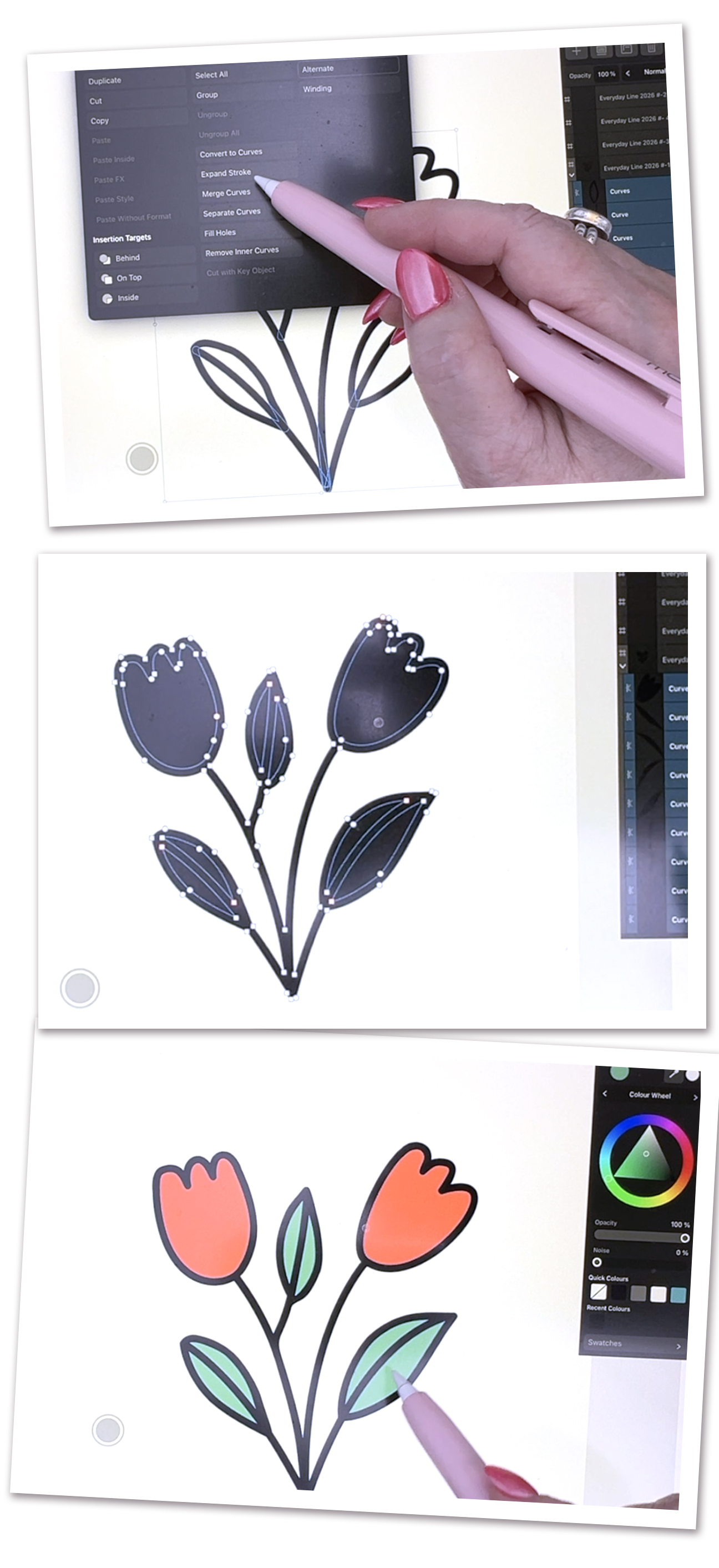
- How to mimic the Blob Brush using strokes
- Turning loose lines into solid shapes
- Combining shapes quickly and cleanly
- Using sculpting tools to refine your work
- Fixing uneven lines without manual node editing
The Key Concepts I will include
- Stroke-based drawing
- Expanding strokes into shapes
- Boolean operations
- Sculpting and reshaping curves
- Stabilization for smoother lines
- Simplifying shapes
- Flood fill coloring
This class is meant to keep things simple and approachable. You don’t need perfect control or complicated tools to get clean, professional-looking results. With just a few adjustments to how you draw and edit, you’ll be able to work faster and with more confidence.