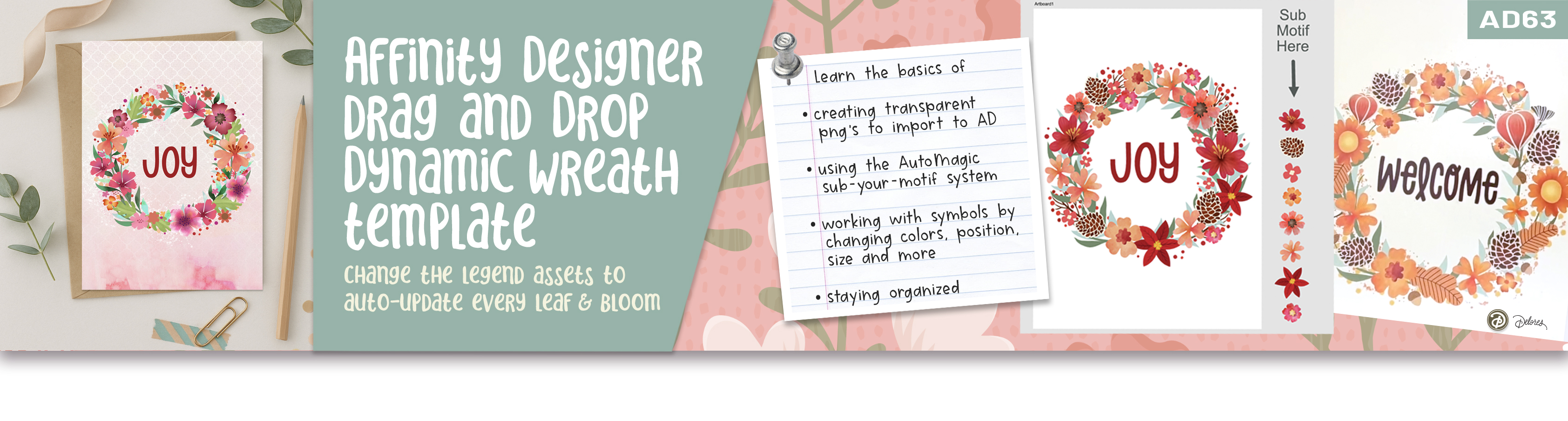
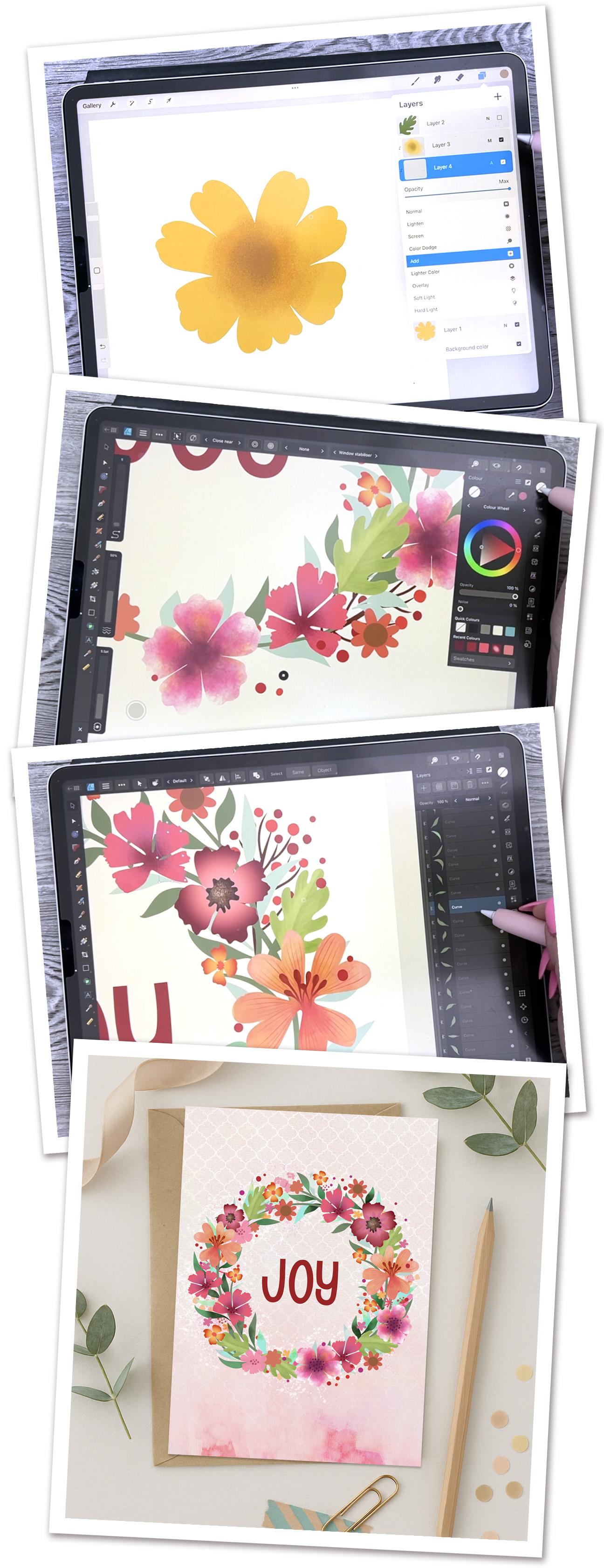
Creating a stunning wreath doesn’t have to mean starting from scratch! In this class, you’ll learn how to use my ready-made AutoMagic Affinity Designer templates and bring them to life with your own floral or foliage motifs. We’ll paint simple watercolor-style assets in Procreate, import them into Affinity Designer, and use the built-in Sub-Your-Motif setup to instantly swap, recolor, and rearrange your artwork until your wreath feels completely unique.
With clear, beginner-friendly demonstrations, you’ll discover how to combine the strengths of both programs while learning practical shortcuts for using templates, symbols, and color refinements. By the end, you’ll have a beautiful, fully editable wreath that can be refreshed for any season or occasion with just a few quick swaps.
Class Outline
- Intro – Seasonal Wreath Design with Templates
- Lesson 1 – Painting Simple Floral Motifs in Procreate
- Lesson 2 – Replacing Placeholders in the Wreath Template
- Lesson 3 – Refining Colors, Position, and Adding Texture
- Closing Thoughts – Ideas for Finishes and Next Steps
You’ll Learn
How to create a complete wreath step-by-step: paint, import, and assemble your motifs using my smart template system.
You’ll also get two ready-to-use AutoMagic design files with drag-and-drop setup—just drop in your artwork and watch your wreath transform in seconds.
It’s fast, fun, and a total game-changer for artists who love designing with ease!
The Curriculum
- AD 63 - Seasonal Wreath Designs using a Template in Affinity Designer (0:51)
- Lesson 1 Painting Simple Floral Motifs in Procreate (8:43)
- Lesson 2 Replacing Placeholders in the Wreath Template (9:52)
- Lesson 3 Refining Colors, Position, and Adding Texture (10:04)
- Lesson 4 Additional Paint and Finishing plus Closing Thoughts (5:23)
Example Text
Use this Text block to tell your course or coaching’s story.
Write anything from one-liners to detailed paragraphs that tell your visitors more about what you’re selling.
This block - along with other blocks that contain text content - supports various text formatting such as header sizes, font styles, alignment, ordered and unordered lists, hyperlinks and colors.

Bonus Card 1
Use this block to showcase testimonials, features, categories, or more. Each column has its own individual text field. You can also leave the text blank to have it display nothing and just showcase an image.

Bonus Card 2
Use this block to showcase testimonials, features, categories, or more. Each column has its own individual text field. You can also leave the text blank to have it display nothing and just showcase an image.

Bonus Card 3
Use this block to showcase testimonials, features, categories, or more. Each column has its own individual text field. You can also leave the text blank to have it display nothing and just showcase an image.